Your Image Matters.™
Designed for efficiency, flexibility and simplicity, each Clinical Imaging System is customised to your clinic—whether a solo injector, experienced dermatologist or multi-practitioner surgery.
Every day, patients worldwide make better-informed choices through our scientific user friendly imaging approach.
See how the system works within your clinic
Choose either a dedicated area or shared space with minimal floor requirements.
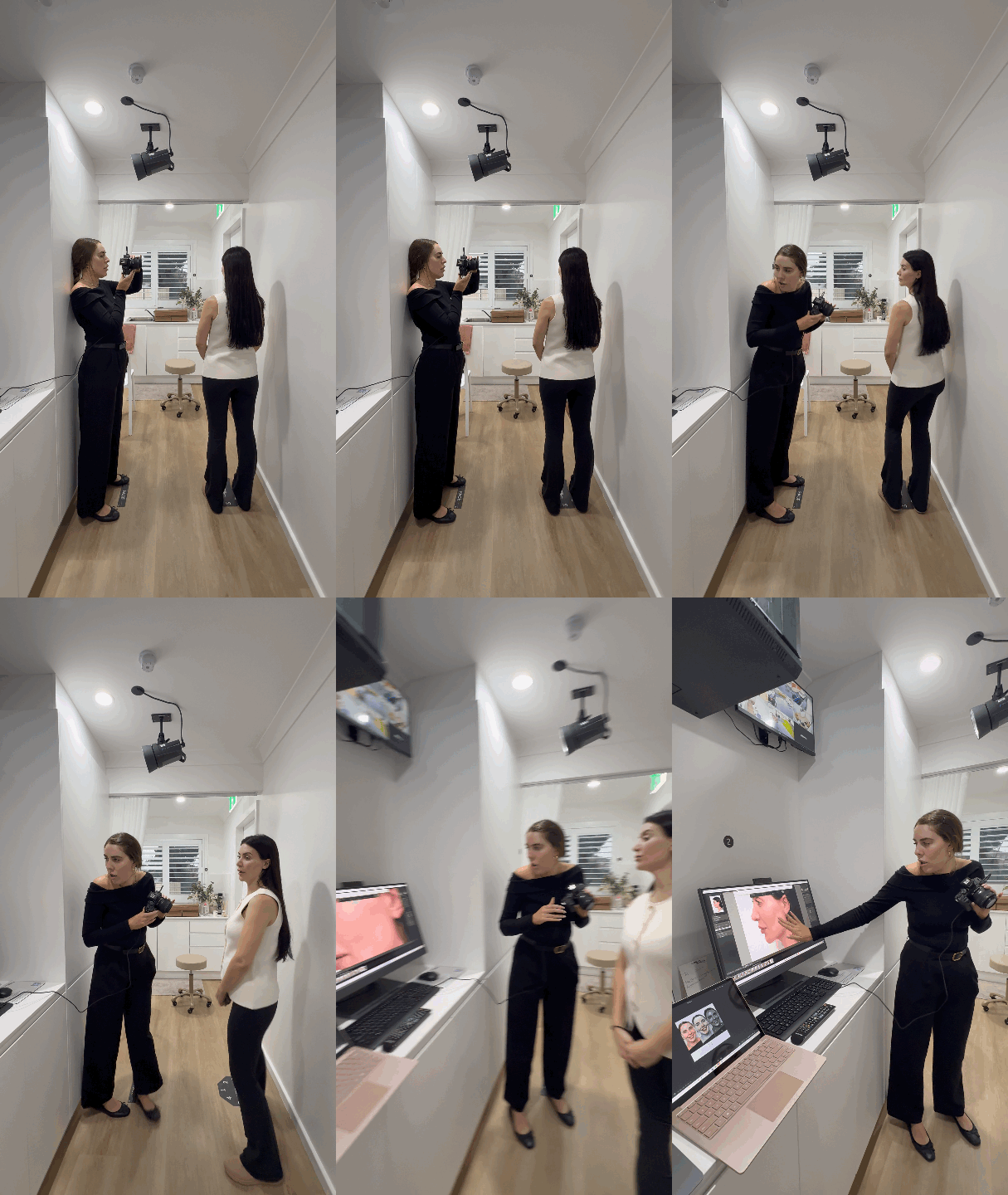
Dedicated small form lighting means that time of day and ambient light changes have no effect on images.
These units mean you have no tripods, umbrellas or floor space requirements for your photography area.
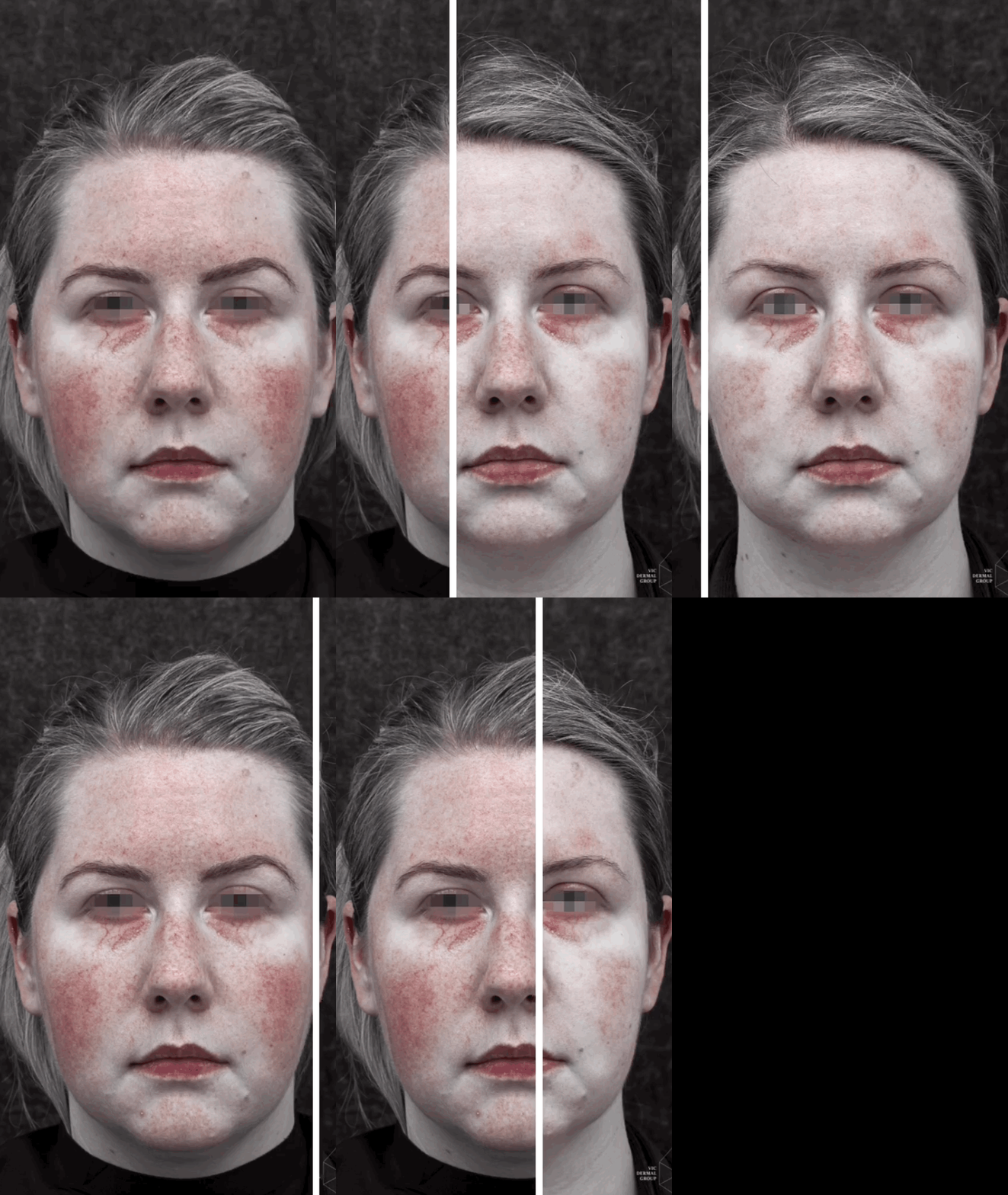
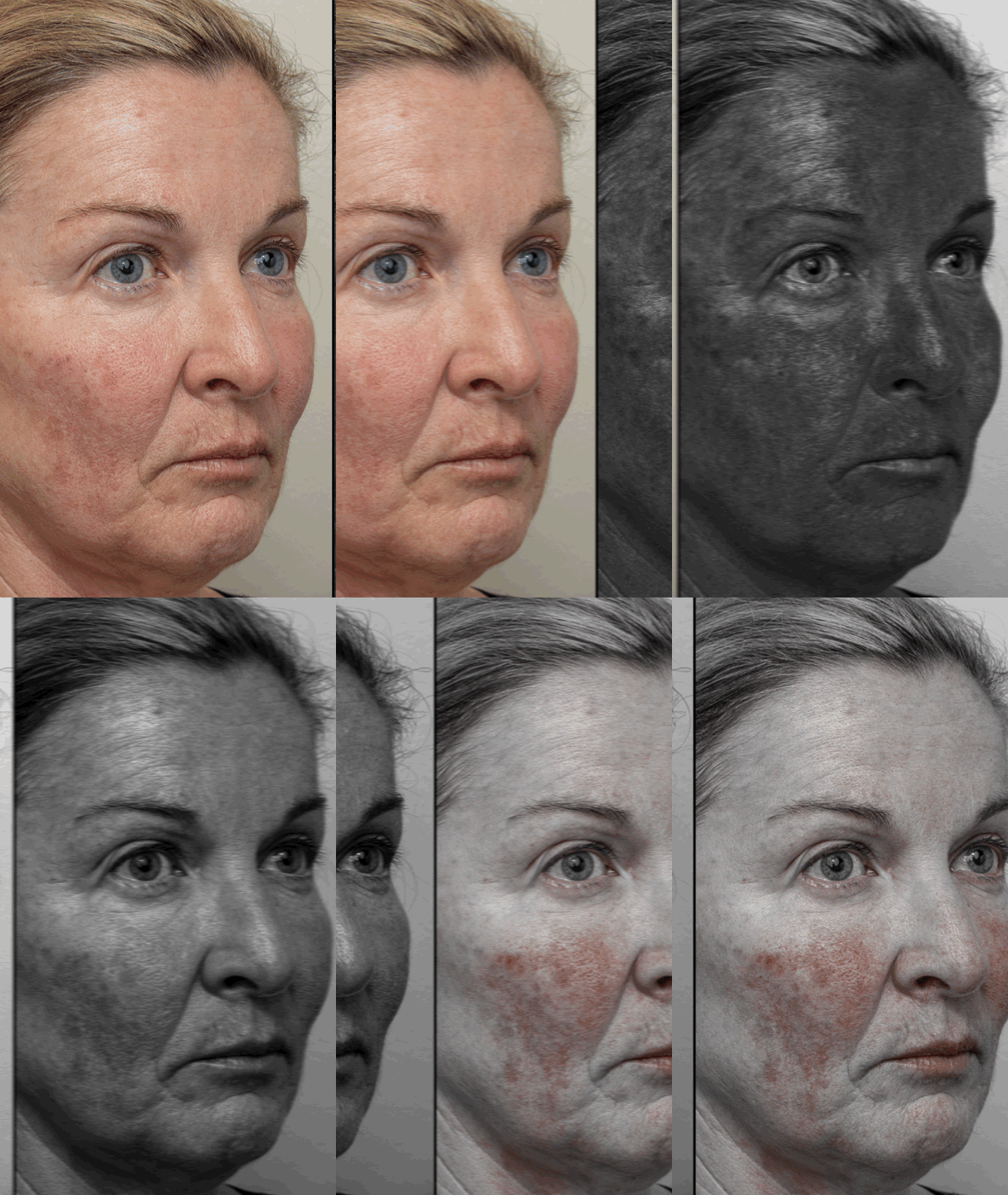
Our system allows for digital dermatoscopy filters which allows you to isolate melanin and haemoglobin in the first 2mm of the skin.

Capture any part of the face, body or dental area.
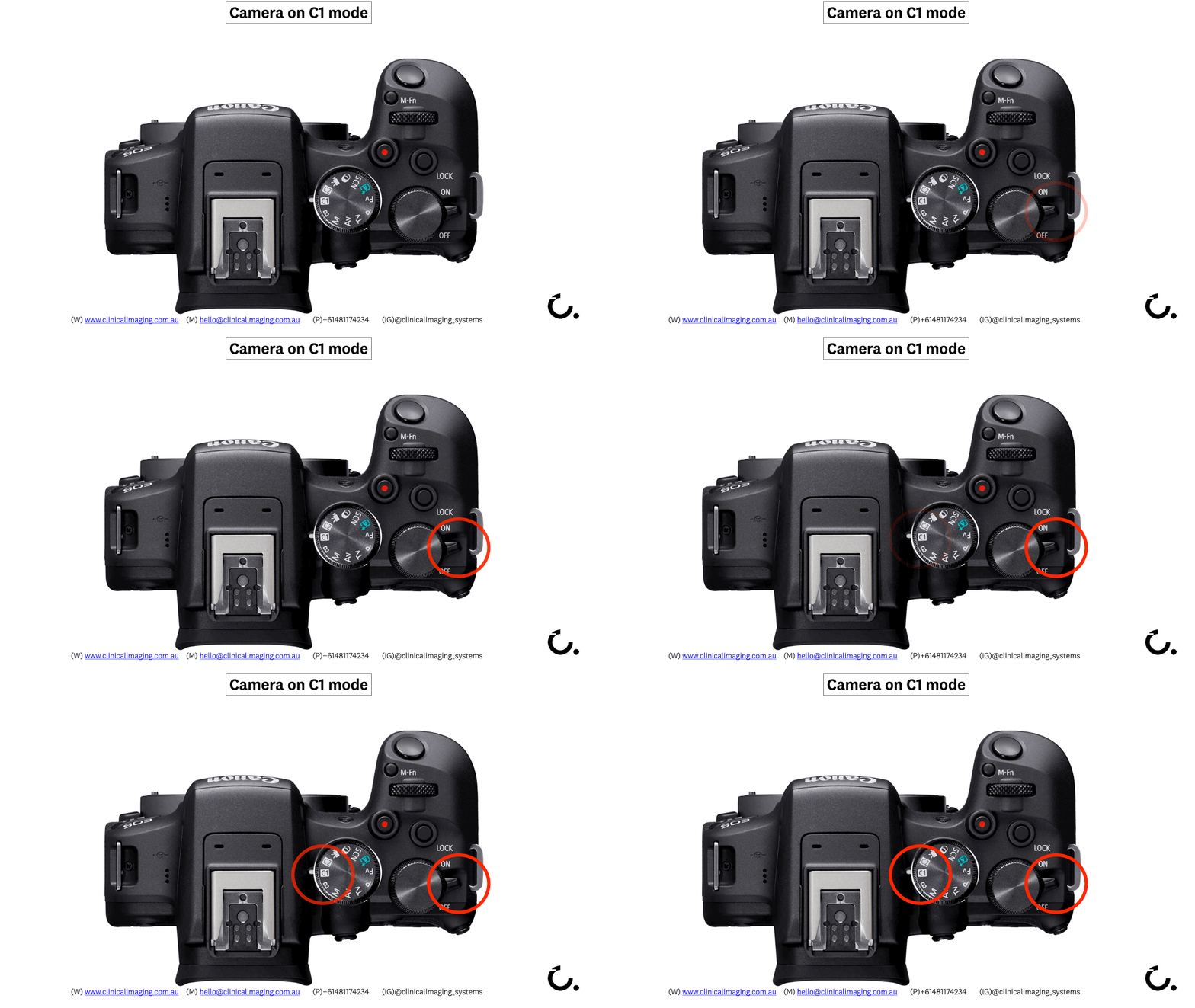
Our systems are pre-calibrated and require no photographic knowledge.
Cameras that autofocus effortlessly with eye-detection as standard.
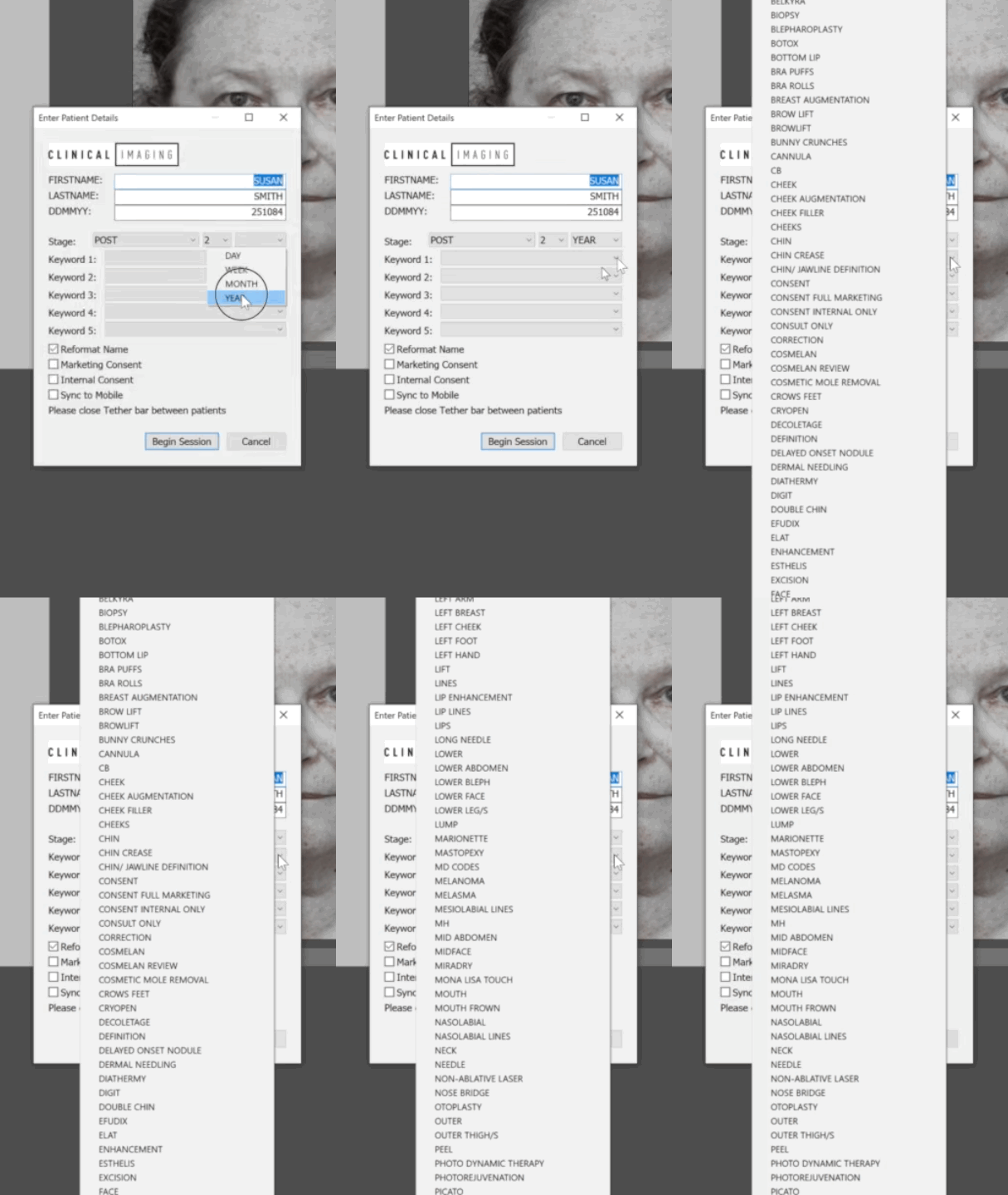
Enter your patient details, and select from your customised keyword tag list
This allows you to navigate thousands of images by procedure, date of capture or patient name
Enhance your consult with large displays to showcase anatomy and results.
A tethered workflow means no download, naming or cataloging after you capture.
Compare, zoom and analyse with your patient
Apply skin filters for vascular lesions, pigmentation or wrinkles.
Create multi-spectrum views from single image non-destructively.


Annotate directly on iPads for more personalised treatment plans
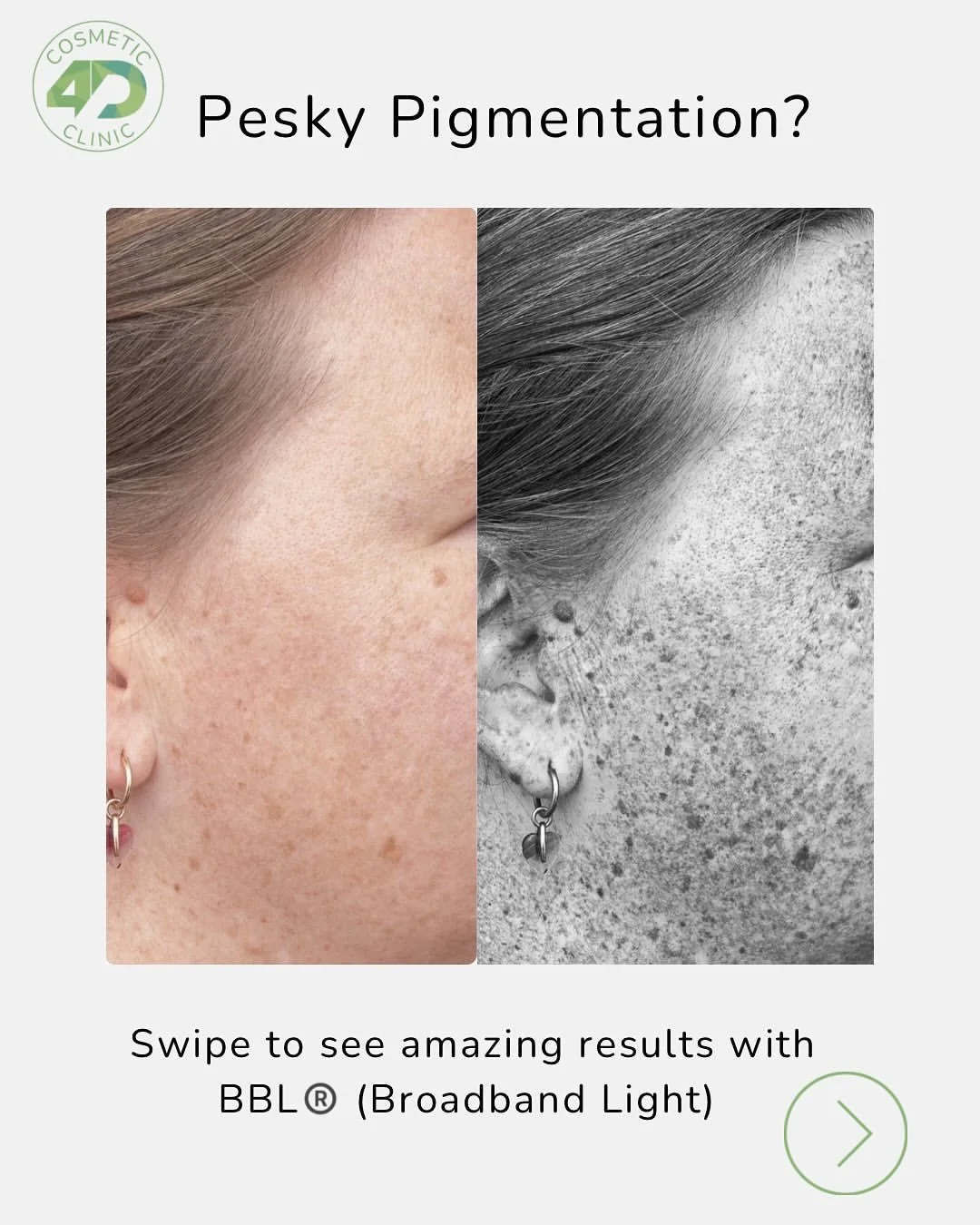
Create branded before & afters for advertising, website or social campaigns.


Enjoy the security of Australian data centres, encrypted automatic backups and access from any device
Consult in multiple rooms, upload OT images or share with your marketing team instantly.
Link multiple clinics with your own cloud storage
Access a library of training modules to keep your team up to date and compliant
Modules used by industry, private clinics and hospitals across 150 installations in 10 countries
Keep up to date with latest trends, techniques and efficiencies to make the most out of your imaging system.
Our custom built software for Adobe contains work flow efficiencies, multispectral skin views and a host of other features designed for easy use clinical photography.
We have a onboarding video here .


Integrated.

We are constantly striving to achieve greater efficiencies within a landscape characterised by a wide variety of platforms.
As a result, we have actively pursued the development and implementation of several key integrations within the EMS platforms available across the globe.
DappleOS and Gentu are currently in development.